
Take a close look at how your team is currently using artificial intelligence. You will likely see two very different realities.
On one side, you have your "Power Users". These team members are building precise prompts to complete specific, complex tasks. On the other side, you have people who are using AI primarily for the basics, like rewriting an email or summarising a thread.
The gap is obvious: How do you take the sophisticated workflows your top-level users have mastered and empower the rest of your employees to perform with that same infallible precision?
Personal Efficiency vs. Team Growth
The problem isn't the tool; it's how the tool is currently confined. When an advanced user refines a process using their own prompts, they are optimising their own efforts.
That customised prompt is powerful, but it remains a private tool. The effectiveness of that refined work doesn't scale to the rest of the organisation. This means your "email rewriters" stay stuck at the basic level, while your "power users" race ahead alone. Expertise remains confined to the individual expert rather than becoming a company asset.
Standardise Success with Gemini Gems
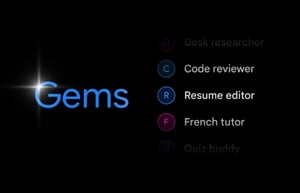
Google’s answer to this is shareable Gemini Gems.
A Gemini Gem is a personalised version of the Gemini AI that acts as a custom agent tailored to perform specific tasks. Instead of rewriting instructions every time, you "calibrate" a Gem with a specific role, tone, or set of guidelines once, and it remembers them forever.
Think of it as a virtual expert that understands your exact needs like a "Technical Quote Generator" or "AEO Blog Writer" which can then be shared with your entire team to ensure everyone produces work at the same high standard.
Now, the employee who was previously only rewriting emails can use this pre-built Gemini Gem to generate high-quality technical quotes or optimised articles.
How do I build and share a Gem?
Creating a Gem is a simple process done using natural language.
- Start with a conversation: You simply explain to Gemini what you want. For example, "You are a marketing expert with a formal tone" or "You are a financial analyst who only uses certified data". If you have manuals or brand guidelines, you just upload them to give Gemini the right context.
Pro Tip: You can ask Gemini to write an optimised prompt for the Gem you want to create. Start with a simple request and optimise the prompt through testing the results you get.
- Simple sharing: Sharing a Gem is as easy as sharing a file in Google Drive.
- Click the "Share" button next to your custom Gem.
- For Control: Choose "Share with specific people" to assign Viewer or Editor roles.
- For Speed: Choose "Create a link" to paste a URL directly into Google Chat or Gmail.
If your Gem relies on specific files, Google will even remind you to share those files so everyone has the same info.
Why does this matter for your business?
When you adopt shareable Gems, you unlock three major benefits: consistency, speed, and growth.
- Brand Consistency: A marketing manager can create a Gem with the perfect "Tone of Voice." Now, every email or social post sent by the team aligns with your brand's unique style.
- Sales Acceleration: If one person builds a "Winning Proposals" Gem based on successful deals, sharing it raises the quality of offers across the entire sales force.
- Scalability: You stop wasting time on repetitive training. The expertise doesn't stay with one person; it becomes a scalable company asset.
Beyond Gems, The AI Ecosystem
Shareable Gems represent the pinnacle of a broader, integrated system.
Think about Gmail: the artificial intelligence can help you write complete responses to complex emails or summarise long message threads with a single click. But it doesn't end there. In Google Slides, you can ask Gemini to generate a slide draft based on a brief or extract relevant images for your report.
While with Scheduled Actions you can set up personalised updates to receive every morning, with a summary of your unread emails or a briefing on news in your sector.
The integration with Google Workspace continues. In Google Docs you can search for new ideas or rewrite an entire paragraph to adapt it to a formal or informal tone; while if you are in Google Sheets and need to analyse a dataset, you can compare multiple sheets in seconds, create complex formulas or graphs in the same workspace, all without leaving that space.
And Google Meet? It offers you an automatic and timely summary of every meeting, even those you couldn't attend, without forgetting that you can count on relevant subtitles to communicate more effectively with international teams.
We could talk for hours, but we'll conclude our insights with Deep Research, which relieves you of long manual searches, offers in-depth analysis for complex topics, and detailed reports with verifiable citations.
Chat History: Control And Privacy
By default, your chat activity on Gemini is saved to your Google Account as “Gemini Apps Activity”. However, you have complete control over this history.
The default setting provides that activity is saved and, in the absence of changes, is automatically deleted after eighteen months.
You can modify the automatic deletion settings by choosing between three, eighteen, or thirty-six months, or by completely turning off automatic deletion.
If you turn off the “Gemini Apps Activity” setting, your new conversations will not be saved to your account beyond a temporary period (about seventy-two hours) required to provide the service. You can manually delete your chat activity at any time.
Ready to upgrade your team?
Gemini Gems are just the tip of the iceberg. From summarising meetings in Google Meet to rewriting paragraphs in Google Docs, this ecosystem is designed to be your always-available assistant.
At power2Cloud, we don't just sell licenses. We provide the consulting and training you need to identify which processes to automate and how to get your whole team on board.