
Your Shopify store is doing its job. Orders come in, the checkout works, the shipping labels print. So why does it still feel like you barely know the people buying from you?
Here's the thing. Shopify remembers what your customers bought. It doesn't remember who they are.
This post shows you how connecting Shopify to HubSpot fixes that, without ripping out anything that already works. You'll learn what each tool actually does, where the native integration is enough, and when it's worth building something custom.
Shopify Sells. A CRM Remembers
Whether you sell online, in a shop through Shopify POS, or across marketplaces, Shopify is hard to beat at the actual selling. Catalogue, checkout, payments, shipping, logistics: it handles all of it, and it keeps them tidy.
It's grown its marketing tools too. Customer Segments for grouping people, Shopify Email for campaigns, Shopify Flow for the repetitive jobs like sorting customers automatically, firing stock alerts, and flagging dodgy orders. The built-in reports tell you what each customer is worth.
For a lot of businesses, that's plenty.
The gap is somewhere else. When someone buys, Shopify logs an order. When they come back six months later, it logs another one. Two orders, no story.
And you need the story. Do they always buy the same thing? Have they gone quiet on your emails? A list of orders won't tell you.
That's what a CRM is for. It reads a customer as a person with a history, works out where their head is right now, and helps you say the right thing at the right time.
Plugged in natively, HubSpot doesn't touch the things Shopify already does well. It just adds the memory. It learns who your customers are, maps how they move, and tells you who's worth a conversation. Shopify runs the shop. HubSpot turns a sale into a relationship.
New to HubSpot? Start with our plain-English guide to the HubSpot Customer Platform
What Does Shopify Do, and What Does HubSpot Add?
Quick answer: they don't do the same job. Shopify runs the sale. HubSpot runs the relationship around it. You're not replacing one with the other. You're giving the first one a memory.
Here's the honest version, area by area.
Customer Data
Shopify keeps the receipts. Name, orders, total spent. You know what happened, but it's a snapshot.
HubSpot turns the snapshot into a story. It adds what people actually do (pages they visit, emails they open), where they are in their journey (first-timer to regular), and a live score for how engaged they are. Now a customer isn't an order number. They're someone whose next move you can see coming.
Marketing and Email
Shopify does the basics fine: regular campaigns, standard cart reminders. Good enough for sending to everyone at once.
HubSpot lets you stop sending to everyone at once. You can mix what people bought with how they behave and get oddly specific. Picture a list of "people who spent big, went quiet 90 days ago, but still open my emails." That's the moment to reach out, and now you can.
Sales and Support
Shopify isn't a sales CRM, and that's fine. You can handle early questions in it, but it won't hold up once your team grows.
HubSpot gives you the full kit with Sales Hub and Service Hub. One screen shows your agent the orders, the support tickets, the WhatsApp messages, the lot. Nobody gets asked to repeat their story for the third time.
Analytics and Attribution
Shopify is great for the sales and traffic numbers. You can read them at a glance.
HubSpot zooms out. It doesn't stop at the order, it follows the whole path: which channel brought the customer in, which content nudged them over the line. So you spend your marketing budget on what's actually working, not what you assume is.
What Does It Actually Look Like Once They're Connected?
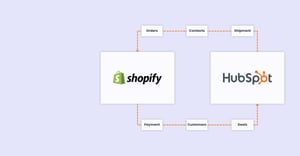
The native integration keeps both sides in sync, near enough in real time, with your key records updating within about ten minutes.
You also get to decide what crosses over. Not everything Shopify or your ERP spits out belongs in your CRM. Stock movements, tax data, you can leave all that behind. Pull through the stuff that tells you something: total value, number of orders, whether a subscription's still live.
The clearest win is abandoned carts. Someone bails at checkout, and that moment lands in HubSpot straight away. From there you can chase it down fast, sometimes inside 24 hours, and make the message smart by matching the cart to what that person's done before.
It also drops the HubSpot tracking code onto your store for you. So you start collecting the behaviour data (pages visited, where they came from) without anyone touching a line of code.
Every store is different, so the right setup depends on yours. If you want to see how it'd map onto your workflows, let's have a quick, no-pressure chat.
How the Experience Changes for the Person Buying From You
It's easy to get excited about the internal tidiness. But the person who really feels the difference is your customer.
Once purchase data meets HubSpot's marketing side, your site stops treating everyone the same. It starts recognising people. Someone who's bought trainers three times shouldn't get the same email as someone who popped in once, six months ago, and vanished.
HubSpot's Smart CTAs (the buttons and offers on your site) shift depending on who's looking and what they've bought. People see things that are actually relevant to them, not pot luck.
Support gets better too. A customer writes in with a problem, and your agent already has it all in front of them: past orders, open returns, whether the subscription's active or paused. No "can you remind me what you ordered?" The customer feels known. That's the line between someone who sticks around and someone who quietly leaves.
Already comparing HubSpot plans? Here's our guide to the Hubs and what they cost
HubSpot Automation Workflows Make the Difference
HubSpot hands you a set of ready-made automations out of the box (you'll find these on the Professional and Enterprise plans):
- Welcome new customers: a sequence that builds a bit of trust from the very first order.
- Handle the awkward cases: returns, refunds, chargebacks, split orders. Deal with them properly, and stop daft mistakes like labelling someone a "customer" after they cancelled, or emailing a newsletter to a person mid-dispute.
- Win back abandoned carts: get the nearly-buyers back to your site. It's one of the best returns you'll find in eCommerce.
- Wake up the quiet ones: automatically reach out to people who haven't bought in a while.
The real magic is in the targeting. Use what people bought and how much they spent (category, spend, lifetime value) and your campaigns stop being mass emails and start being the right message to the right person at the right time. Your budget goes further.
And when the native integration can't keep up with where you're headed, that's where a partner earns their keep. We can work with both platforms' APIs to build something custom that holds your customer relationships together as you grow.
Let's talk through where you want to take this!
A Relationship That Gets Better Every Time They Buy
Connecting these two isn't a tech tweak. It's a decision to stop reacting and start getting ahead of your customers.
Shopify keeps doing what it's good at, selling, across every channel. HubSpot adds the part that was missing: it makes your data worth something over time, makes every message feel personal, looks after your regulars, and gets marketing, sales, and support finally singing from the same sheet.
The one who notices most? Your customer. They get an experience that remembers them and looks after them, every time.
Want to figure out the right setup for your business and what it's genuinely worth to you? Book a free 20-min Shopify + HubSpot integration review.
Frequently Asked Questions
What does integrating HubSpot and Shopify actually do? It pipes your Shopify data (orders, customers, abandoned carts) into HubSpot's CRM. From there you can run your marketing, sales, and support around a full picture of each customer, instead of a pile of separate transactions.
Is the native HubSpot Shopify integration free? The connector itself comes through HubSpot. But the features most stores actually want, the automation, segmenting, and reporting, live on HubSpot's paid Professional and Enterprise plans. What you pay depends on which Hubs you switch on.
Do I still need Shopify if I use HubSpot? Yes. They're not swaps for each other. Shopify runs your shopfront, checkout, payments, and shipping. HubSpot adds the CRM, marketing, and service layer on top. They're a team.
How quickly does data sync between Shopify and HubSpot? With the native integration, your core records usually update within about ten minutes, so close to real time.
When should I move from the native integration to a custom build? When the off-the-shelf connector can't map the data or run the workflows you need any more. That's the point to bring in a partner who can use both platforms' APIs to build something around how you actually work.