
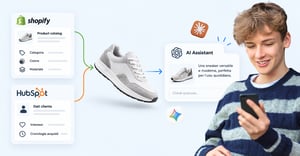
A shopper asks ChatGPT for a men's slim-fit navy polo. Your store sells one, but the listing says "Blue shirt", and nothing in your analytics shows the AI skipped you.
HubSpot AEO tracks how ChatGPT, Gemini and Perplexity talk about your brand. This post shows what to set up in HubSpot and Shopify, so within four weeks you know whether AI mentions you and sends you customers.
Here's what you'll get:
- How to track AI mentions, referrals and revenue in HubSpot
- What your Shopify store needs so AI has something worth citing
- What Google says you can skip
Answer Engine Optimisation (AEO) means structuring your content and data so AI platforms can understand and cite you. Over the last year, HubSpot launched tools to track AI citations, Shopify enabled in-chat selling and published AI agent files across stores, and Google spelled out which tactics it doesn't need. Most of this is probably available in your accounts already, so the first step isn't your content calendar, it's your admin panels.
What is HubSpot AEO and what does it track?
HubSpot AEO tracks how your brand appears in answers from ChatGPT, Gemini and Perplexity. You choose the questions to monitor, and the dashboard shows how often you're mentioned, how visibility changes over time, your share of voice against competitors and the sentiment around mentions.
It's a paid tool: $50 a month standalone with no other plan required, and included in Marketing Hub Professional and Enterprise, according to HubSpot's launch announcement. We covered where HubSpot is taking this in our UNBOUND 2026 report.
HubSpot suggests questions based on your industry, company and competitors, and with Marketing Hub Professional or Enterprise it also uses your CRM data to refine them.
Can you test your AI visibility for free?
Yes. HubSpot's free AI Search Grader, also called the AEO Grader, gives you a one-off snapshot of your brand on ChatGPT, Gemini and Perplexity. Run it before you pay for anything, so you know what you're trying to improve.
How do you use citation analysis?
Content marketers get the most from this feature. You can see which domains, pages and content types feed AI answers and compare your footprint with competitors'.
If AI keeps citing technical guides, comparisons, independent reviews or community forums on your topics, you know which formats win. Then ask what information is missing from those sources, and write that.
How do you track AI referrals and revenue in HubSpot?
Mentions only tell half the story, so look at what happens when someone clicks. HubSpot classes traffic from ChatGPT, Claude, Perplexity, Copilot, Gemini and Meta AI as AI Referrals, and your traffic reports show session counts for each tool.
When a visitor becomes a lead, HubSpot records AI Referrals in the "Original Traffic Source" and "Latest Traffic Source" properties, along with the referring domain, such as chatgpt.com. You can follow those leads through the CRM and connect them to deals and revenue with attribution reports.
Keep attribution in perspective. An AI referral doesn't deserve 100% of the credit if the customer touched several channels before buying, so read visibility, referral traffic and closed revenue together.
Does AI search replace SEO?
No, it widens what you measure. HubSpot reports that organic traffic to its customers' websites fell 27% year on year, and that customers who optimise for AI search see 20% more traffic from AI visits and 82% more deals than those who don't. That's HubSpot's own data, so treat it as a signal, not a promise.
Put classic rankings, sessions and conversions next to AI visibility, citations and AI Referrals. For that to work, your website, store and CRM need to share consistent data, so check that discovery, contact and sale are tracked the same way across them.
What does your Shopify store need so AI can cite it?
HubSpot shows you how AI sees your brand, and Shopify decides what AI can read about your products. Shopify Catalog is the structured source that collects product information from eligible Shopify stores, and AI platforms, shopping sites and agents use it to match products to what people ask for.
If your store meets the requirements, inclusion is automatic, but Shopify says it doesn't guarantee your product shows up in any AI answer. Treat it as a baseline health check.
Which basic product checks matter most?
Data quality counts at least as much as the page your customer sees. Title, description, images, price, variants and availability tell the system what you sell. These checks take about ten minutes with a few tabs open, and audits often stall on them:
- Every product has a title and at least one image
- The price is above zero
- The product has a clean URL that search engines can see
- The product is published on your online store or a custom storefront
- Your store is on at least the Starter plan and isn't in private mode
Then check account health, the part almost nobody talks about. Eligibility also depends on email verification, two-factor authentication, a history of real sales, reliable order fulfilment, a low dispute rate and paid Shopify invoices.
How do you write product data AI can use?
Titles, descriptions, images, product types, vendors, collections, tags and variants all help AI understand your inventory. Reviews build trust, but Shopify doesn't list them as a basic requirement for Catalog inclusion, so start with structured data.
Back to the blue shirt. "Men's slim-fit navy blue piqué cotton polo shirt" spells out the category, fit, material and colour, so an AI can match it to a precise request.
Descriptions work the same way, so put materials, dimensions, compatibility and care instructions in the text, not just the photos. Keep your shipping, returns and refund policies complete too, because agents read them when customers ask "Can I return this?".
Did you migrate your catalogue from another platform?
If so, check your data mapping. After a migration, attributes often end up in tags, custom fields or hyphenated titles, because that was the old system's convention.
In the Agentic Storefronts section you can see which sources feed your titles, descriptions and categories, and point to metafields instead. You can also fix variant grouping if your old setup used custom logic built on metafields, tags or title delimiters.
Does clean catalogue structure help beyond AI? The LEGEA example
Yes. During LEGEA's migration from PrestaShop to Shopify, we normalised attributes, organised variants consistently and aligned product identifiers across data sources. Revenue rose 46% after the migration, and add-to-cart actions rose 28% in the first two months after launch.
The changes that make a catalogue easier to manage also help AI channels read your data correctly, because a clear catalogue is easier to interpret for people and for machines.
If your catalogue carries years of customisations and you don't know where to begin, we can work through it with you.
Where do you manage Agentic Storefronts in Shopify?
In your Shopify admin, under Sales channels > Agentic. Agentic Storefronts are already live, and Shopify connects channels such as ChatGPT, Google AI Mode, Gemini, Microsoft Copilot and Meta, where people can discover and, where supported, buy products inside AI conversations.
Availability and checkout differ by region and channel. In-chat checkout currently serves US stores, for example, while in Italy a shopper discovers a product in ChatGPT and completes the purchase on your site. Our Shopify Spring '26 Edition write-up covers the shift to agentic commerce.
Shopify enables "Allow Shopify to manage for me" by default for eligible stores, which keeps channels running and adds new ones automatically. For tighter control, turn it off, accept the Shopify Agentic Storefronts Supplemental Terms of Service, then configure channels, catalogue access and direct checkout yourself.
How do you see whether AI channels produce sales?
Shopify attributes these orders to the channel or referrer, and the Agentic section shows sales, orders and performance per channel. That shows whether AI produces revenue, not just mentions.
What do AI agents know about your store?
Being in the catalogue doesn't mean being described well. The Shopify Knowledge Base app lets you review what AI agents extract from your store, see what questions people ask, check which sources answer them and step in where an answer is missing.
Add FAQs on shipping, returns and what makes your brand different. The app won't make AI mention you more often, it makes what AI says more accurate.
Does Shopify exclude B2B products from AI channels?
Usually, yes. Agentic Storefronts support direct-to-consumer selling, so Shopify excludes B2B and wholesale items when it recognises them, which is when an item:
- Belongs only to B2B catalogues
- Requires a customer login to view
- Sits behind a private storefront
If you sell an item to both audiences, agentic channels show the consumer price. Take extra care if you manage B2B pricing with third-party apps or theme customisations. If custom code hides prices behind a login, Shopify may not recognise the product as B2B-only and could push it to AI channels.
How do you hide a product from AI channels?
Switching off one channel's access to Shopify Catalog doesn't hide the product across the web, because AI platforms can still find it through crawling or external feeds. To exclude it entirely, set it to Unlisted or use the seo.hidden metafield.
That also hides it from Catalog, your sitemap, search engines, your store search, collections and recommendations. So decide which channels you want to hide it from, and where customers should still find it, before you treat this as an AI switch.
What do AI agents read on your Shopify store?
Shopify automatically generates a document that explains your store's structure to AI agents. Add /agents.md to your main domain to see it. By default it holds your store name and URL, a link to your sitemap, your published policies and the commerce endpoints agents use to find products and other store features.
Shopify also provides /llms.txt and /llms-full.txt, which show the same content by default. You don't need to install an app or create any of them. If you have advanced needs the default doesn't cover, you can write an agents.md.liquid template, but then you own the maintenance: keep it current and preserve the endpoints agents rely on.
How do AI crawlers fit in?
AI crawlers are a separate mechanism, reaching your pages through the open web. Shopify manages bot traffic at network level, so most stores don't need to act, and you can allow or block specific crawlers in robots.txt.liquid.
But robots.txt rules are guidelines, and Shopify says not every bot follows them. Blocking a crawler also doesn't stop Shopify Catalog sending product data to your active Agentic Storefronts.
Here's which setting does what:
| What you want | What to change | What it won't do |
| Control how crawlers read your public pages | robots.txt.liquid | Doesn't stop Catalog data reaching active agentic channels |
| Stop one agentic channel receiving your catalogue | That channel's settings under Sales channels > Agentic | Doesn't stop the product being found through crawling or external feeds |
| Hide a product from discovery completely | Set it to Unlisted or use seo.hidden | Also hides it from Catalog, sitemap, search engines, store search, collections and recommendations |
Many companies think they've closed the front door when they've only shut a window.
What does Google say you don't need for AI visibility?
On 15 May 2026, Google published a guide to optimising for generative AI features in Search. To appear in AI Overviews and AI Mode you don't need llms.txt files, AI-specific markup, text split artificially into small blocks or special word counts. Structured data still helps rich results and SEO, but Google doesn't require it for generative search.
AI Overviews and AI Mode rely on Google's standard ranking and quality systems, so strong technical SEO, clear site architecture and helpful content remain your best foundation. Each system has its own route: agents.md serves conversational agents, catalogue data feeds shopping channels, and Google Search works through classic indexing. You can monitor performance in Search Console, and our merchant's guide to GEO covers the rest.
What is a 4-week HubSpot AEO plan?
You don't need to overhaul your stack overnight. Use this plan to set your baseline.
The power2Cloud Playbook: your 4-week HubSpot AEO baseline
- Week 1: run HubSpot's free AI Search Grader to map your current visibility, then pick the customer questions you want to track.
- Week 2: check your AI Referrals in HubSpot (traffic reports and the Original and Latest Traffic Source properties), so you know what you can already measure.
- Week 3: open your Shopify admin. Check your active agentic channels, accept the supplemental terms and inspect your /agents.md.
- Week 4: audit your top 20 revenue-generating product pages, refining titles, descriptions, attributes and variant names. Then check Search Console's generative reports and your agentic channel sales in Shopify.
By the end you have a baseline to measure growth against. If the audit turns up catalogue bottlenecks, as it did for LEGEA, or disconnected CRM data, fix that before you write new content.
Want a second pair of eyes on your setup?
You can run this yourself. If you'd rather work with people who live in Shopify and HubSpot every day, we're a Shopify Plus Partner and a HubSpot Diamond Partner, and this is exactly the conversation we like having.
Tell us what you found when you opened your admin. It's much easier to work from one concrete finding than from a general question.
Frequently Asked QuestionS
HubSpot AEO is a tool that tracks how your brand appears in answers from ChatGPT, Gemini and Perplexity. It shows how often you're mentioned, how visibility changes over time, your share of voice against competitors, the sentiment around mentions and which sources AI cites.
HubSpot sells it standalone for $50 a month, with no other HubSpot plan required. It's also included in Marketing Hub Professional and Enterprise, so check what your plan already covers before you pay separately.
No. HubSpot AEO tracks brand mentions for any domain, whoever hosts your website. That means your Shopify store works fine, and you can start tracking where your brand appears in AI answers today, before you change anything on the site.
In your traffic reports, where visits from AI tools are grouped as AI Referrals. Leads who convert carry AI Referrals in their Original and Latest Traffic Source properties, so you can follow them through the CRM to deals and revenue with attribution reports.
Not necessarily. Blocking crawlers stops open-web scraping, but Shopify Catalog still sends your product data to your connected agentic channels. To stop a specific channel receiving your catalogue, change that channel's settings under Sales channels > Agentic, not robots.txt.